

The project itself :
Project Overview
Droppa is a ride-hailing and mobility platform designed to provide users with flexible transportation options, including standard rides, deliveries, and car rentals. The platform aims to simplify how users move around the city by combining multiple transport services into one seamless experience.
Problem:
Many users experience challenges with existing ride-hailing platforms, including inconsistent ride availability, unclear pricing structures, and limited transport options for different needs. These issues often lead to frustration, delays, and a lack of trust in the overall experience.
Goal:
The goal was to design a reliable and intuitive mobility platform that allows users to easily book rides, choose from different transport options, and complete trips with clear pricing and minimal friction.
My role:
UI/UX designer leading the Droppa mobile application design.
Responsibilities:
conducting research,
storyboarding,
paper and digital wireframing,
usability studies,
iterating on designs,
making high-fidelity prototype
All about the user :
User Research
I conducted research to understand how users interact with ride-hailing services, focusing on their expectations, frustrations, and decision-making process when booking rides.
Pain Points
Pricing transparency:
Users often struggle with unclear fare estimates and unexpected price changes, especially during peak periods. This makes it difficult to trust the booking process or confidently choose the most suitable ride option.
Ride availability and reliability:
In many cases, users experience delays, driver cancellations, or difficulty finding available rides when they need them most. This creates frustration and reduces confidence in the platform’s reliability.
Limited mobility flexibility:
Users do not always need the same kind of transport service, yet many platforms fail to support these varying needs clearly. Moving between ride booking, deliveries, and rentals can feel disconnected and confusing
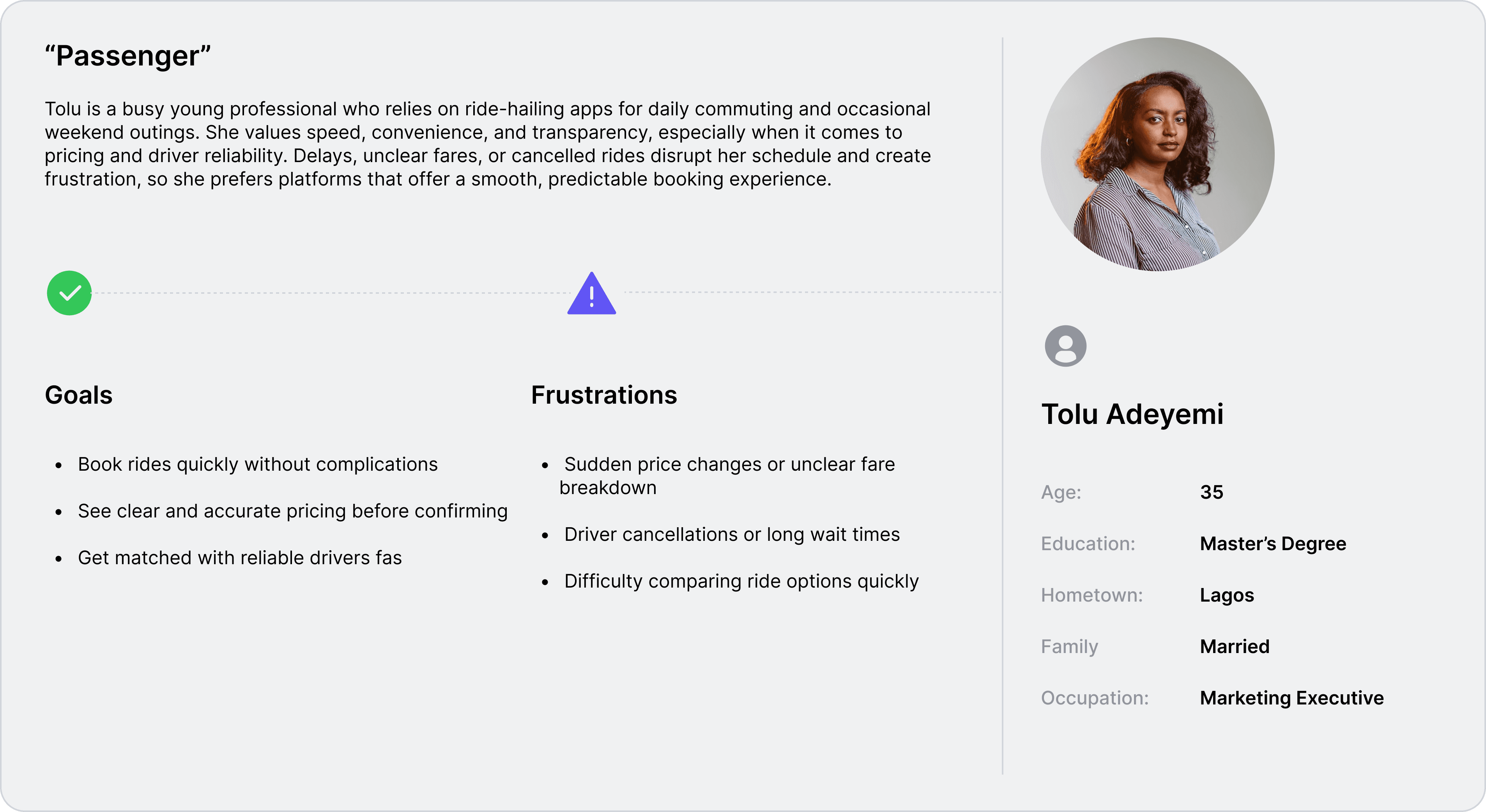
User Personas
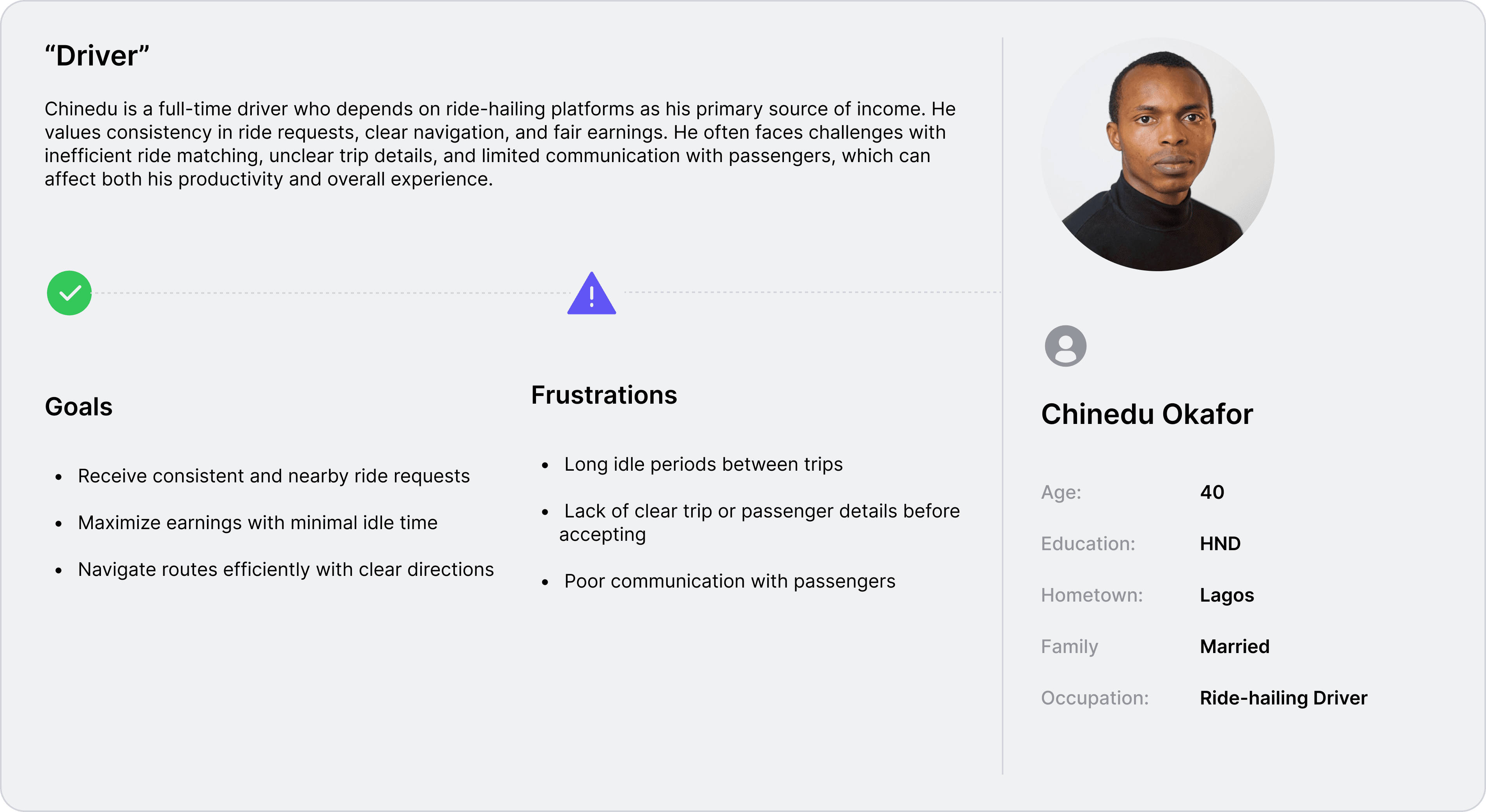
Personas were selected by conducting user research and identifying common pain points, that frustrate and block the user from getting what they need from a product.

User Journey Map
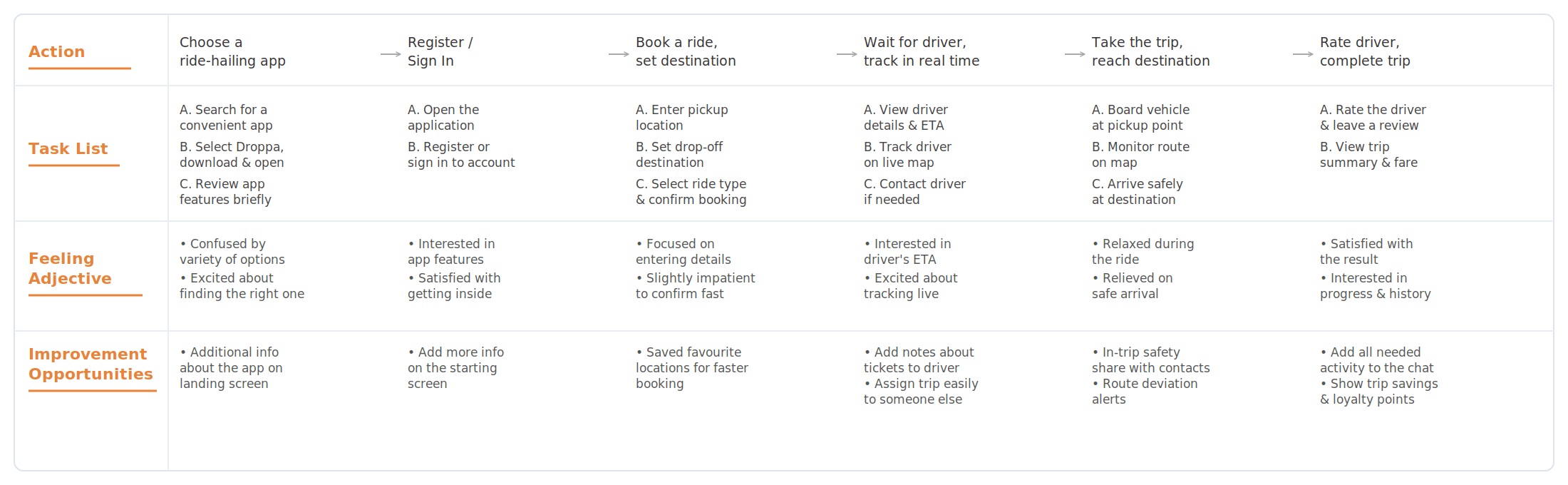
It is the series of experiences Tobi has as he achieve a specific goal. It was built on the his experience.
I mapped the user journey to understand how users interact with Droppa from booking a ride to completing a trip. This helped identify key friction points and areas where the experience could be improved.
Goal
Book a ride easily, track the trip in real time, and reach the destination without delays or confusion.
The project schematically :
Starting the Design
I began by mapping out the ride-booking experience and exploring how users move from requesting a ride to completing a trip. This helped define the core structure and interactions of the platform.
Appmap
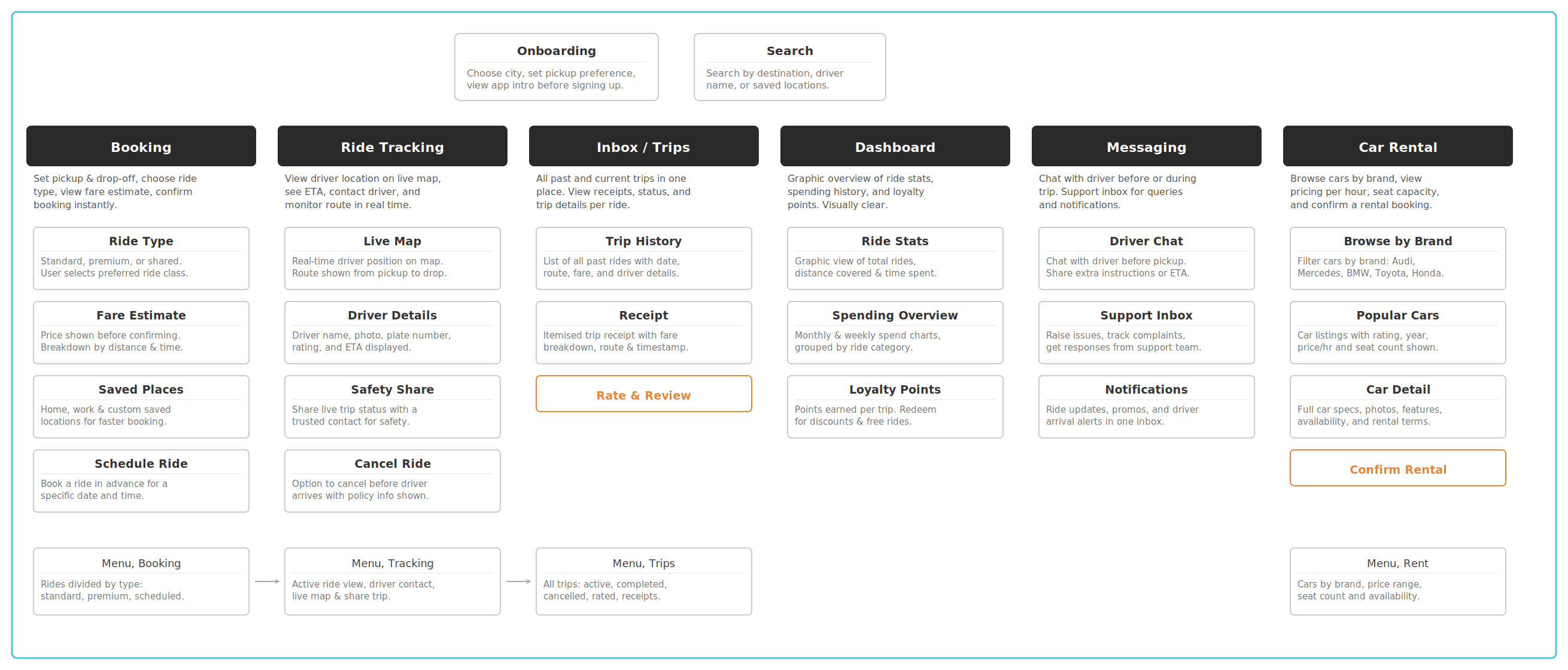
It's a structured scheme that outlines the pages and content hierarchy of the app.
Next step: creating the application map. My goal here was to make strategic information architecture decisions that would improve overall app navigation. The structure I chose was designed to make things simple and easy.
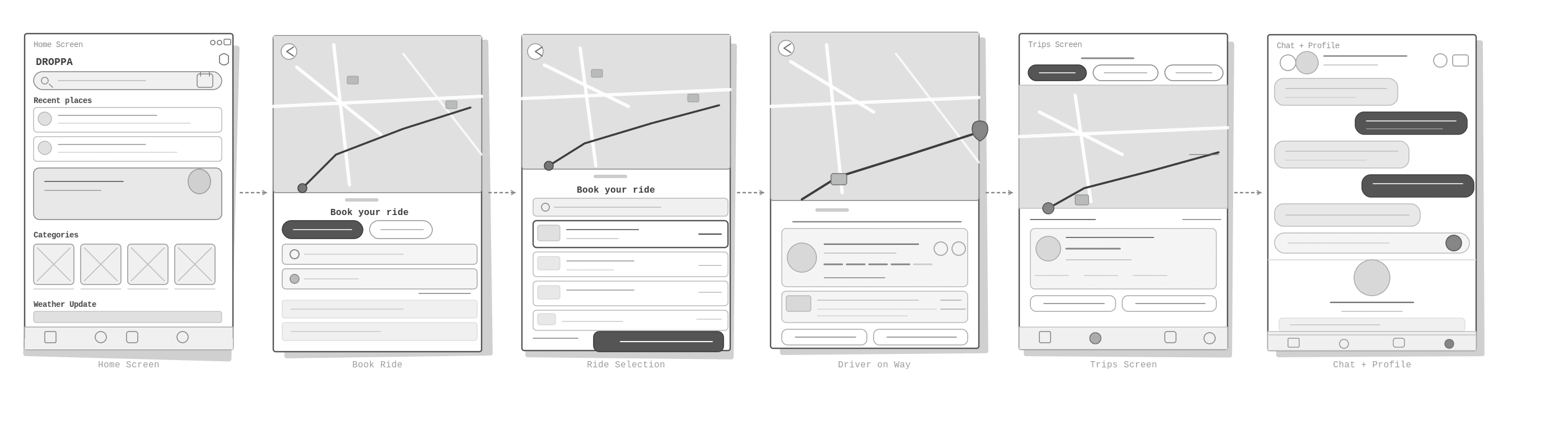
I sketched the key screens of the Droppa app, including the home screen, ride selection, booking flow, trip tracking, and profile. The goal was to explore different layout ideas and define a clear, intuitive structure for the ride-booking experience before moving into high-fidelity designs.
Digital Wireframes
More "clear" version of wireframes in a digital form. Also all the important pages are added
in it.
At this stage, I utilized the Figma design tool to create digital wireframes for all the pages, then organized them into a clear and cohesive structure.
The goal is to show how all the pages and things interact with each other.

Usability Studies
This is an examination of users and their needs, which adds realistic context to the design process.
I conducted unmoderated usability studies with a small group of participants, who interacted with the initial low-fidelity prototype and shared their observations while completing key tasks such as booking a ride, selecting a transport option, and tracking a trip. After gathering the feedback, I analyzed the responses and synthesized the findings into key themes. The goal was to id
Improve destination entry:
Users needed a clearer and faster way to enter pickup and drop-off locations. The search and location flow should feel more immediate and less repetitive.
Clarify ride options:
Some participants found it difficult to quickly understand the difference between available transport options. Ride categories should be more distinct and easier to compare.
Strengthen trip tracking:
Users wanted better visibility into driver movement and trip progress after booking. Real-time tracking should feel clearer and more reassuring throughout the journey.
The clear version :
Refining Design
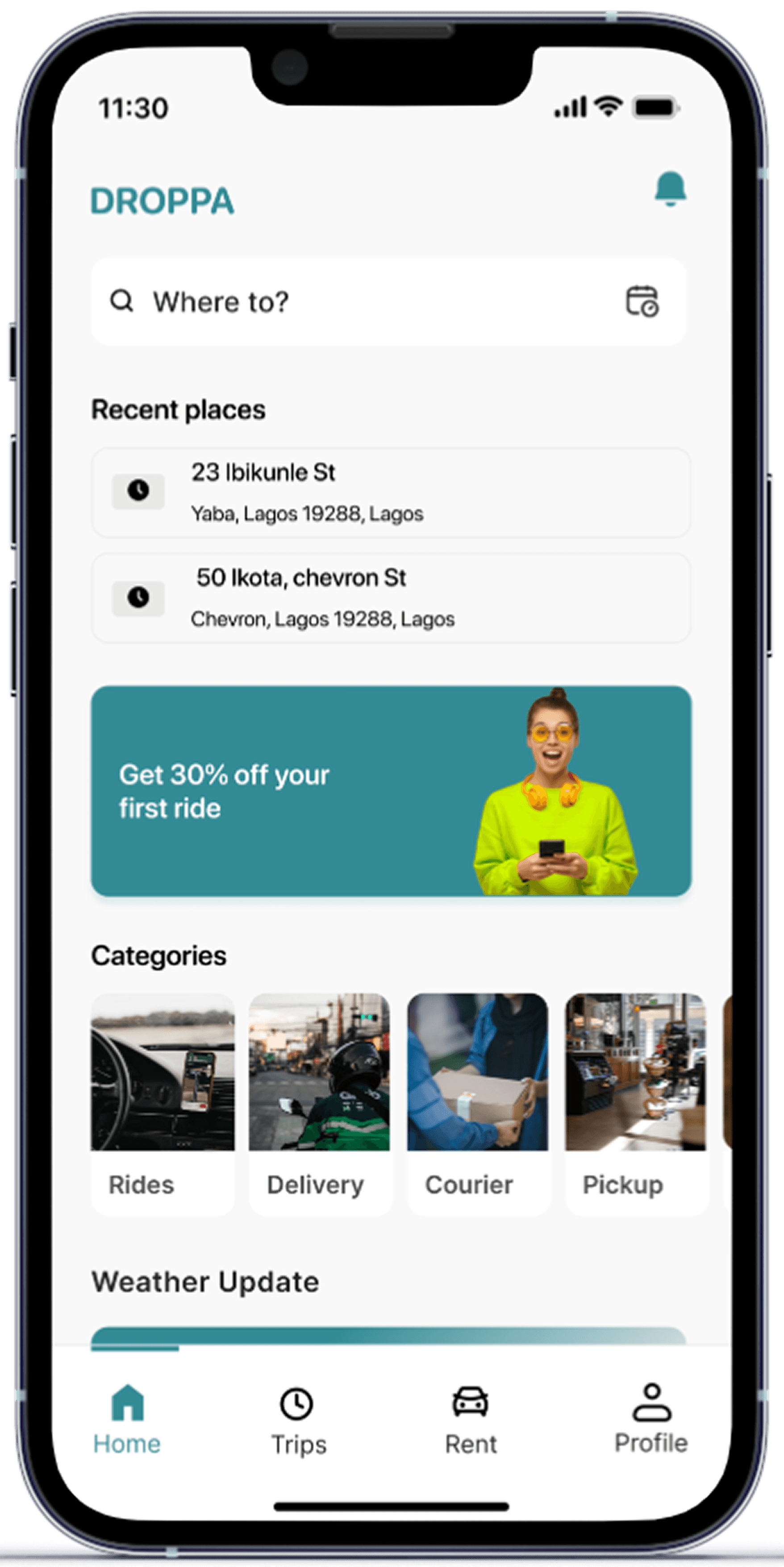
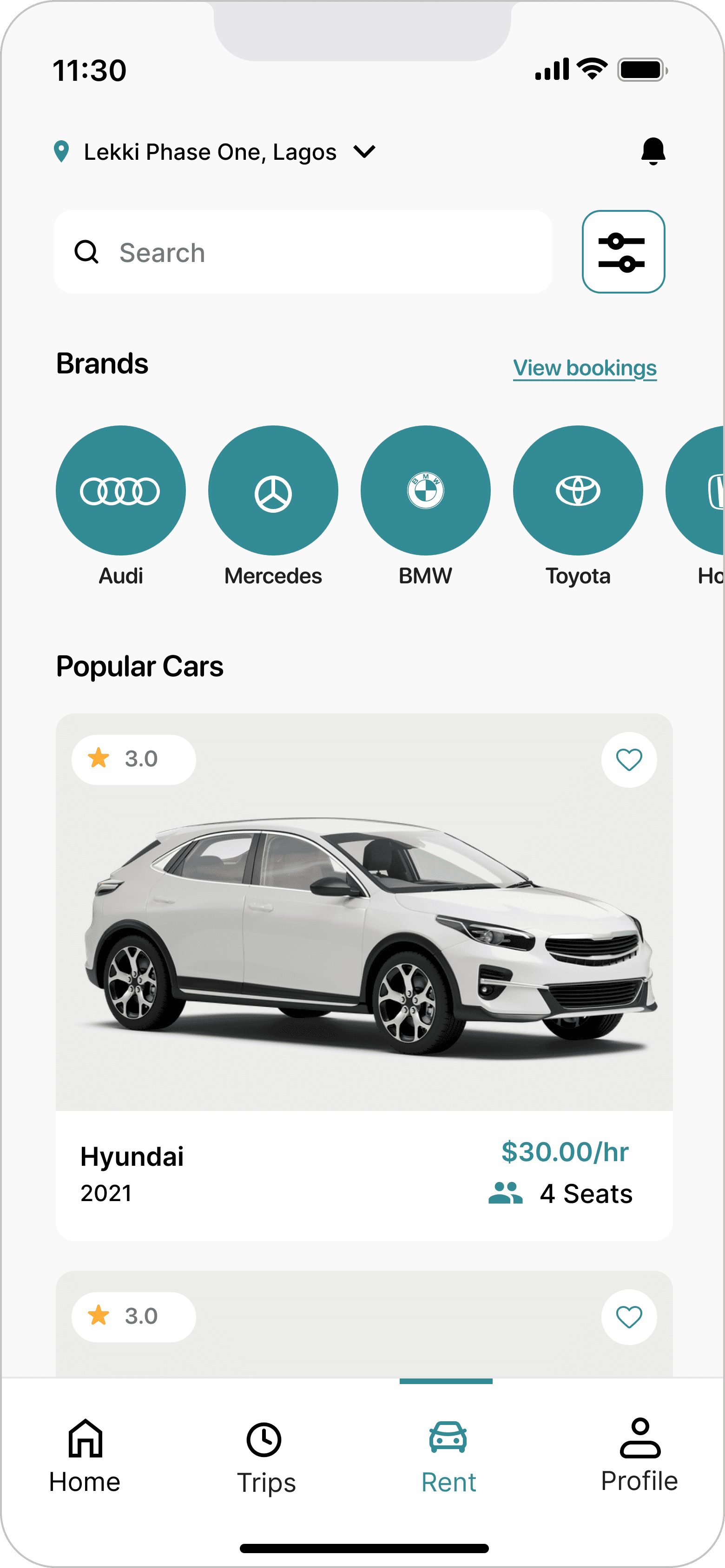
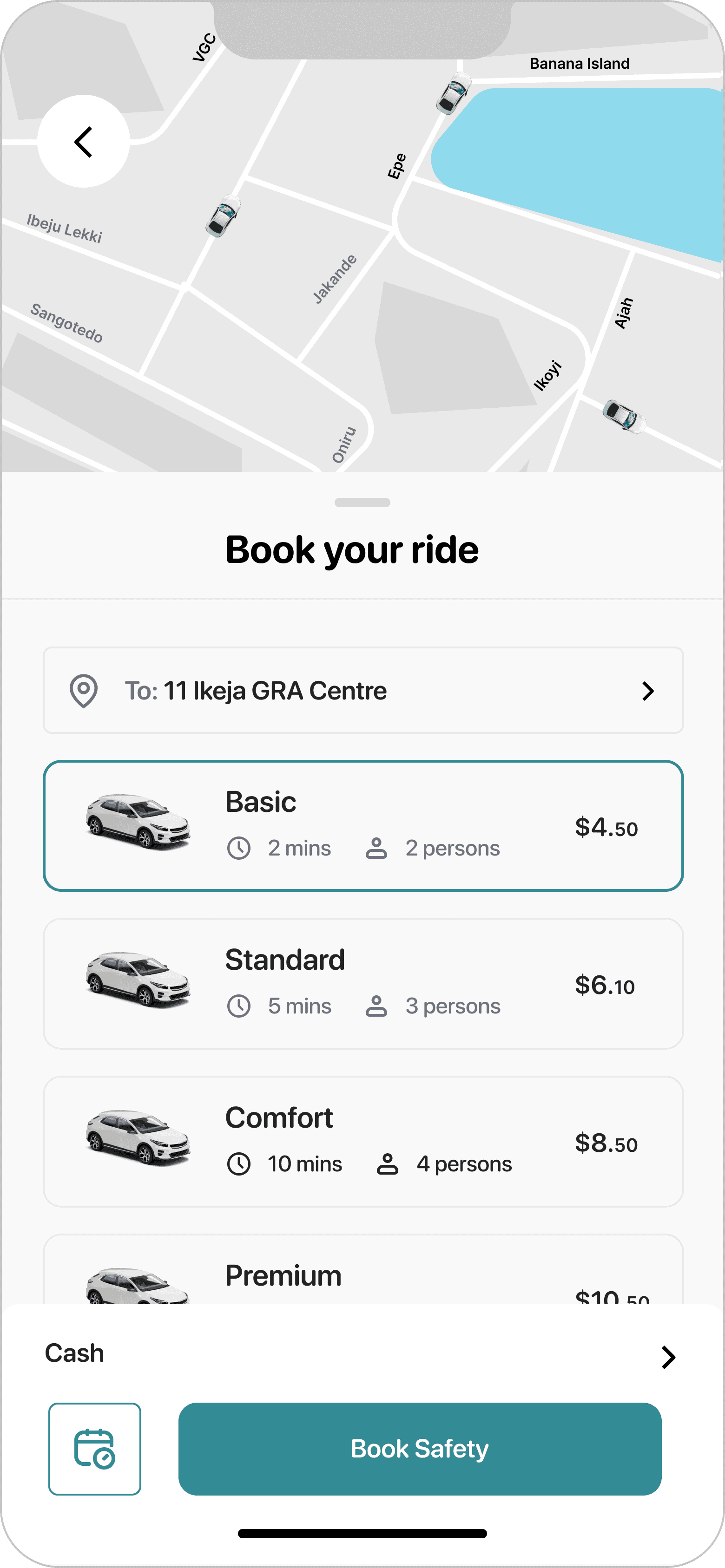
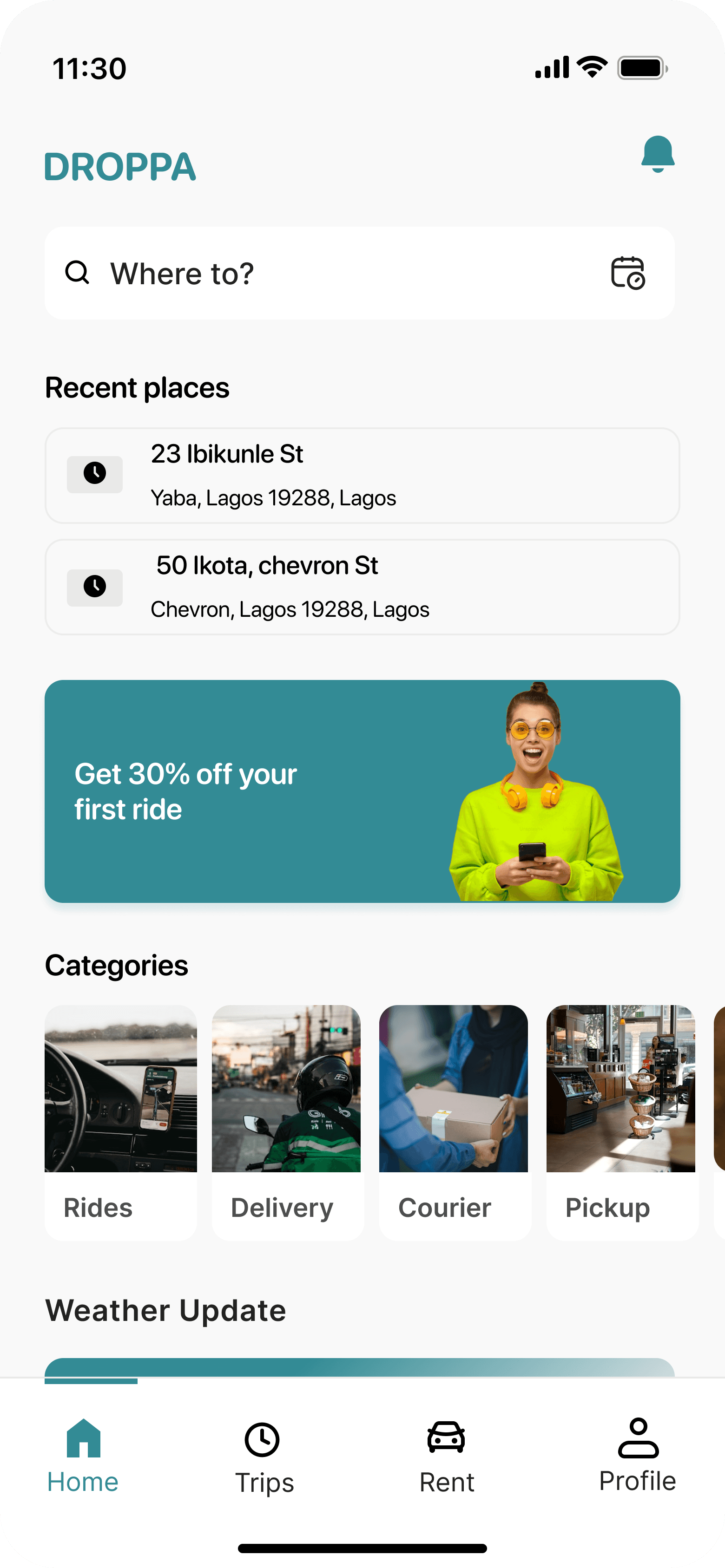
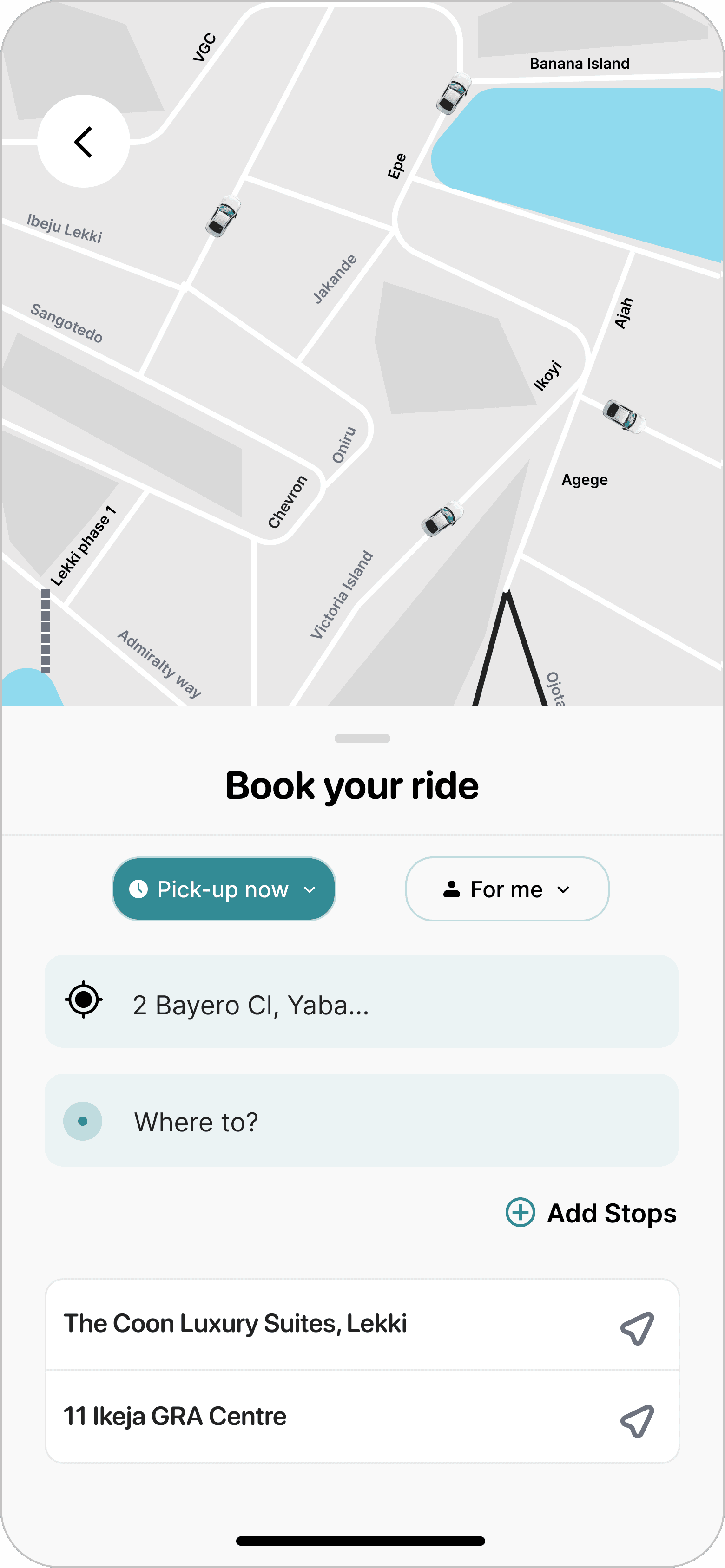
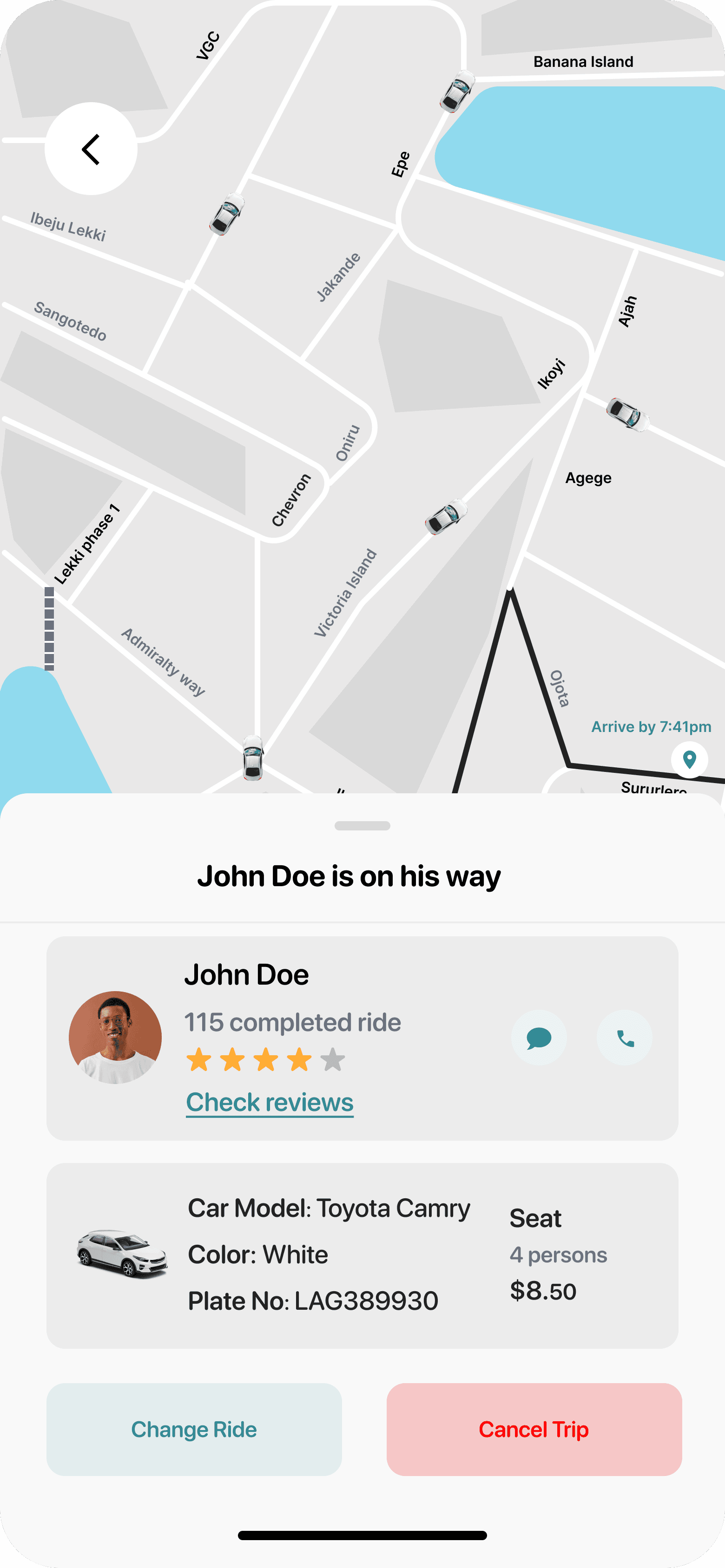
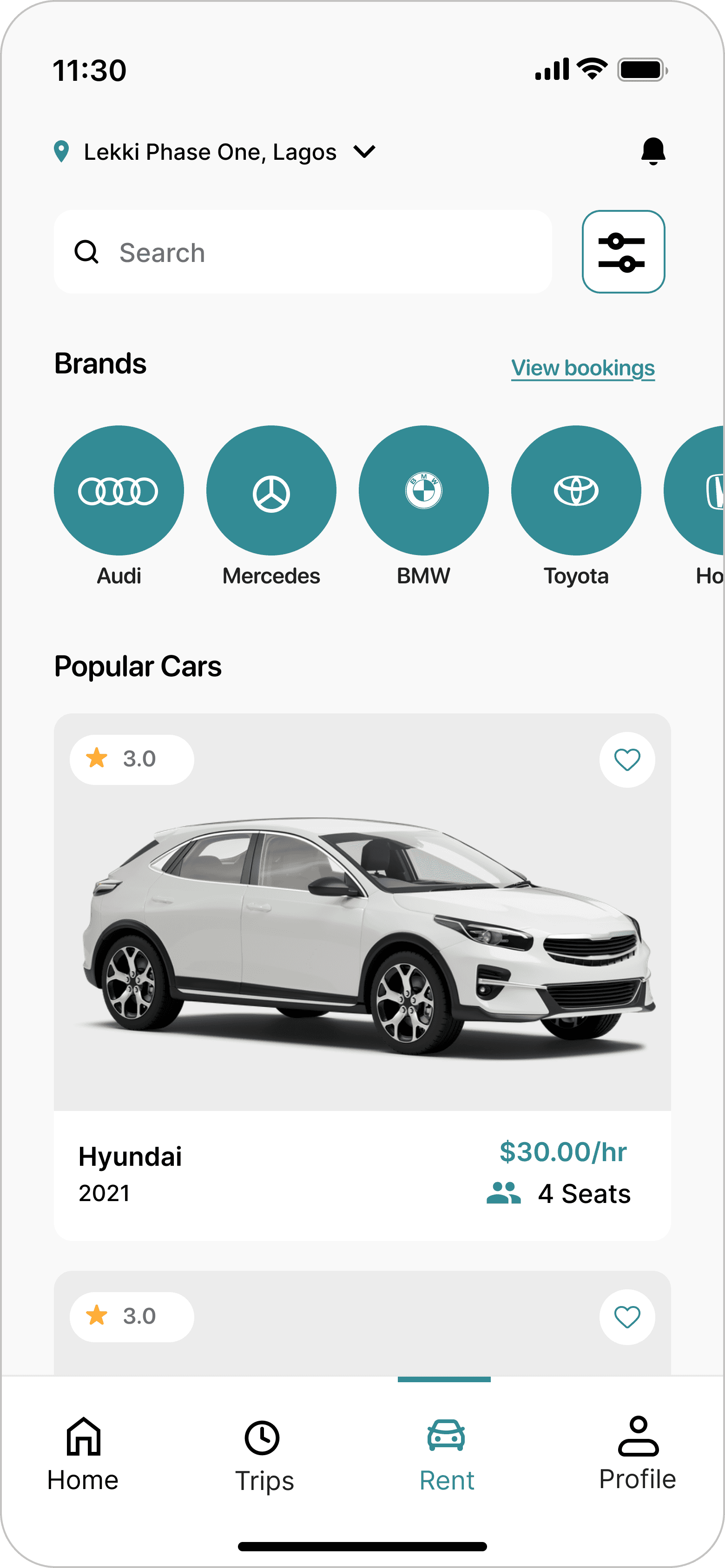
At this stage, I translated the refined wireframes into high-fidelity mockups, applying the key insights from the usability studies to improve clarity, hierarchy, and ease of interaction. These designs provided a close representation of the final Droppa experience, showing how users would move through booking, ride selection, and trip tracking. After finalizing the mockups, I created a high-fidelity prototype to simulate the core user flows and validate the overall experience.
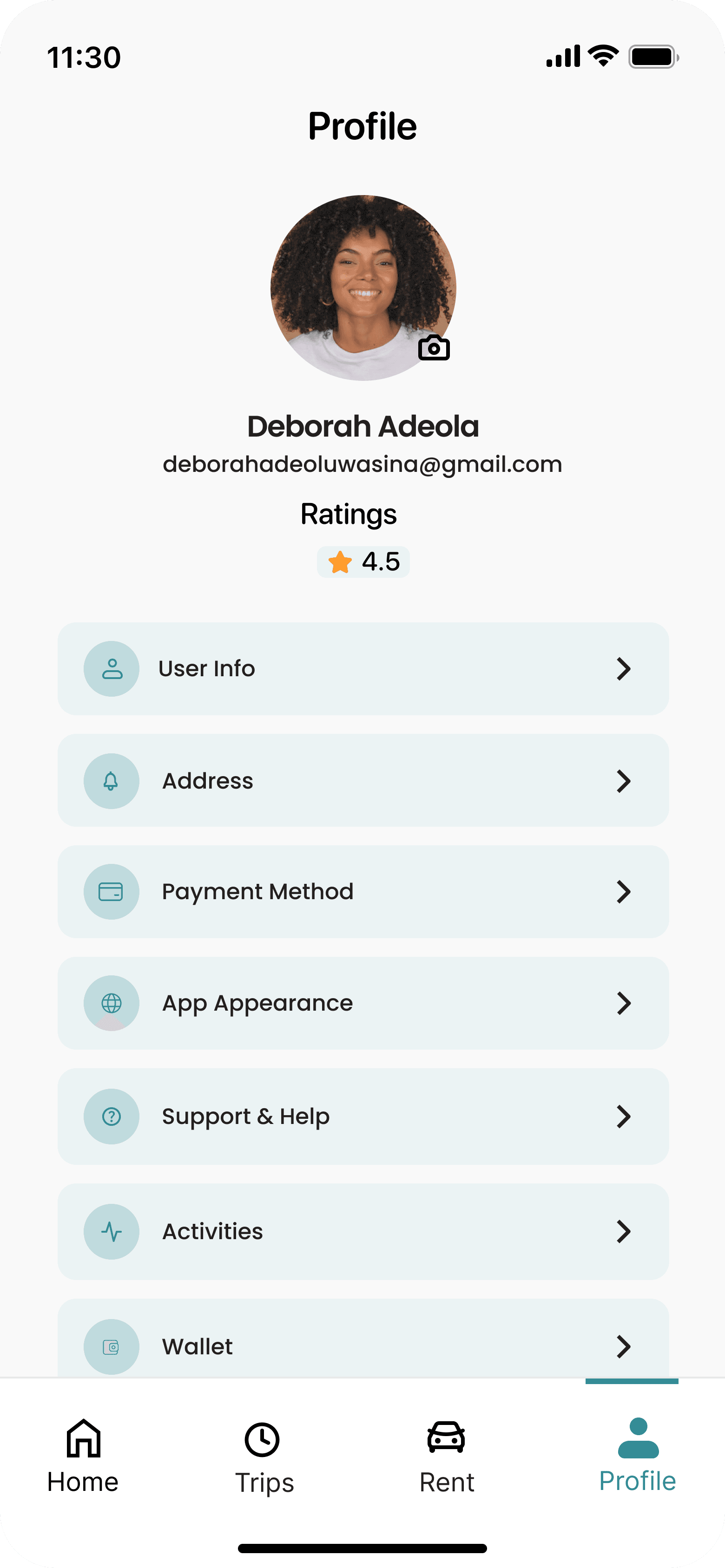
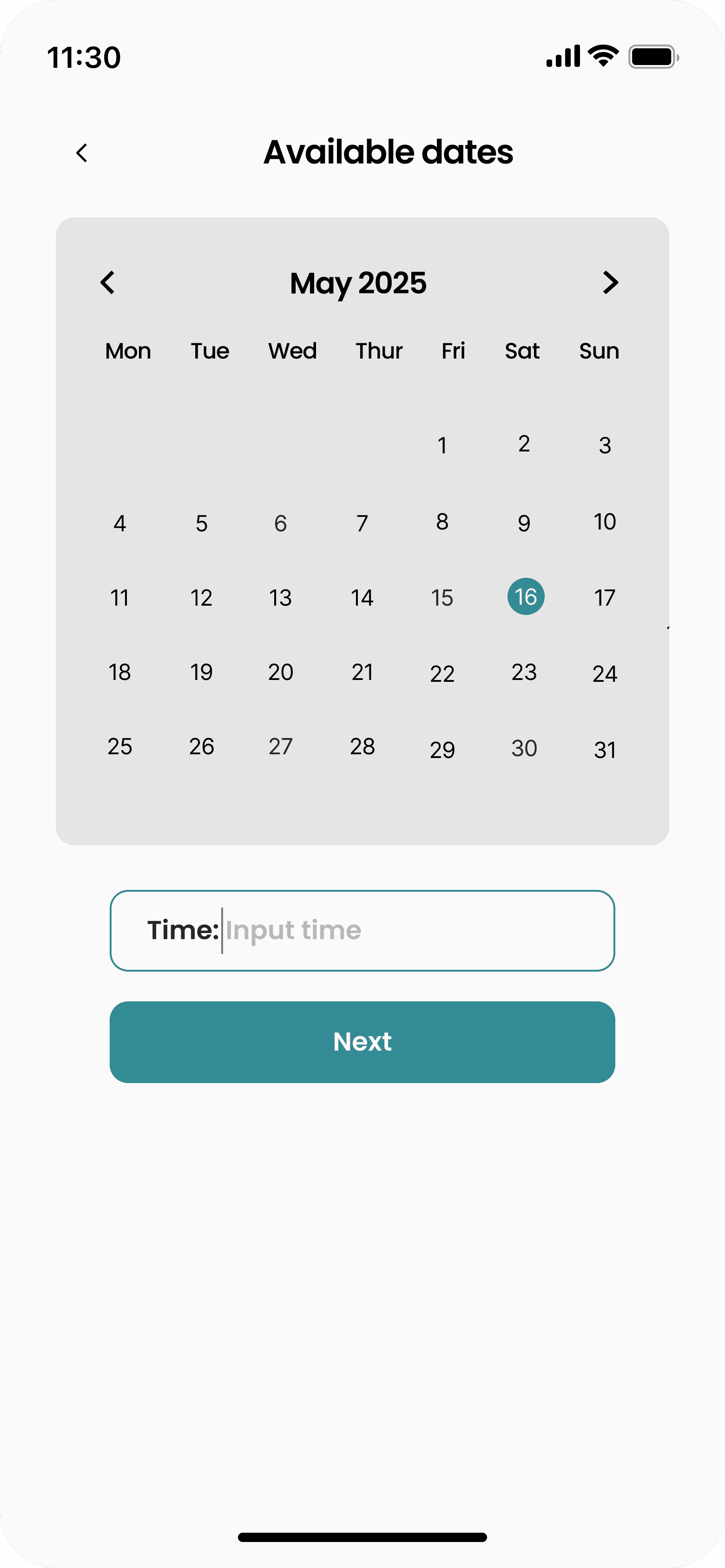
Mockups
These are a high fidelity design that represents a final product
I created all the app pages mockups, incorporating the right design elements such as typography, color, and iconography. Also I developed all the necessary components and needed elements.
The goal was to demonstrate the final Droppa app in as much detail as possible.




High-fidelity prototype
It's the detailed, interactive version of designs that closely match the look and feel of the final product.
I transformed the final mockups into an interactive high-fidelity prototype, incorporating gestures and transitions to simulate real user interactions. This helped validate the booking flow, ride selection, and overall usability of the app before development.

Location selection and destination input
Ride options and fare comparison
Ride booking and confirmation flow
Driver matching and trip request state
Real-time trip tracking and map interaction
Trip details and ride status updates
In-app communication (call/chat with driver)
Trip completion and rating flow
The project schematically :
Outcome
The design process helped shape a clearer and more flexible mobility experience, while revealing opportunities for further refinement and future product growth.
Takeways
This project reinforced the importance of designing for speed, clarity, and trust in mobility products. Users need quick decisions, transparent pricing, and confidence throughout the booking process.
Impact:
Users found the Droppa experience more intuitive and easier to navigate, allowing them to book rides, explore transport options, and track trips with less friction and more confidence.
What I learned:
I learned that small improvements in booking flow, pricing visibility, and trip tracking can greatly improve the overall ride-hailing experience. The most important lesson was to always design around real user expectations in time-sensitive situations.
Next Steps
The series of hand-drawing frames that visually describe and explore a user's experience with a product.
This will help validate improvements in booking, ride selection, and trip tracking.
Future iterations can introduce deeper personalization, fare transparency improvements, and enhanced driver-passenger communication.